
Purchase any WEBINAR and get
$10 Off
CODE: SAVE10
T&C applicable, please referFAQ
Validity : 09th Sep'26 to 19th Sep'26
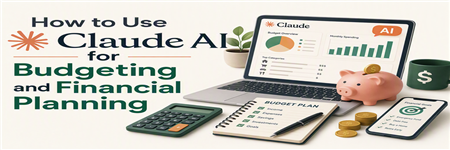
This practical webinar explains how Claude AI can be used to support budgeting and financial planning workflows. It focuses on realistic, beginner-friendly applications such as drafting budget commentary, summarizing historical trends, preparing forecast explanations, reviewing department spending requests, organizing planning assumptions, supporting scenario discussions, and improving the clarity of management reports.
Attendees will learn how Claude can assist with the communication and documentation side of budgeting and planning, especially where finance teams need to turn spreadsheet data, planning notes, and department input into clearer summaries, checklists, and decision-support materials. The session will also show how prompts can be structured to get more useful outputs for budgeting, forecasting, variance analysis, and financial planning tasks.
The webinar also covers practical boundaries, including confidentiality, data quality, spreadsheet review, and the importance of validating AI-assisted outputs before they are used in financial reports, board packs, management discussions, or planning decisions. By the end of the session, attendees should be able to identify safe first use cases and build simple Claude-assisted workflows for budgeting and planning support.
Budgeting and financial planning are often spreadsheet-heavy, time-sensitive, and dependent on clear communication between finance and operating teams. Many organizations still rely on manual processes for gathering assumptions, reviewing expenses, explaining variances, preparing forecasts, and turning financial data into management-ready commentary.
This beginner-to-intermediate session shows how Claude AI can support budgeting and planning work in a practical and controlled way. Attendees will learn how Claude can help summarize financial trends, draft budget narratives, organize planning assumptions, prepare variance commentary, create review questions, and support management reporting.
The session is designed for professionals who want realistic AI use cases without treating Claude as a replacement for finance judgment, spreadsheet review, forecasting discipline, or leadership approval.

Mike Cunningham is an AI workflow trainer and webinar presenter specialising in the practical use of artificial intelligence in professional environments. He helps professionals understand how tools such as Claude, ChatGPT, and other AI platforms can be applied to everyday workplace tasks in realistic, controlled, and commercially useful ways.
With a background in multimedia, digital communication, and professional training, Mike focuses on translating rapidly evolving AI capabilities into clear and accessible workflows. His sessions move beyond generic demonstrations to explore how AI can support tasks such as research, drafting, summarisation, documentation, reporting, data analysis, client communication, and process improvement.
A key focus of Mike’s training is responsible and effective AI adoption. His sessions address important considerations including confidentiality, data handling, verification, human oversight, and professional judgement. AI is presented not as a replacement for professional expertise, but as a tool that can reduce repetitive work, improve clarity, accelerate analysis, and support better-informed working practices.
Across a range of professional and business-focused topics, Mike provides structured examples and workflows that attendees can evaluate and adapt to their own roles and organisations. His approach combines clear communication with practical application, helping professionals develop a realistic understanding of where AI adds value, where its limitations remain, and how it can be used safely and effectively in the workplace.


